

This section aims to give a basic introduction to the use of the website feature of the WVS Data Collection App. This is specifically for project managers and is not a necessary module for field users.
Here, we will cover:
- The dashboard
- Downloading data
- Creating and using projects
- Creating new users
- Creating and assigning forms
- Geospatial coordination of field teams
- Viewing project data within the website project
A demonstration project has been set up to allow you to view test data and become familiar with the working of the website format.
This is found at wvsapp.org
You will require an admin login for access to the website platform, if you have not yet recieved one, please contact usat enquiries@missionrabies.com.
The Dashboard
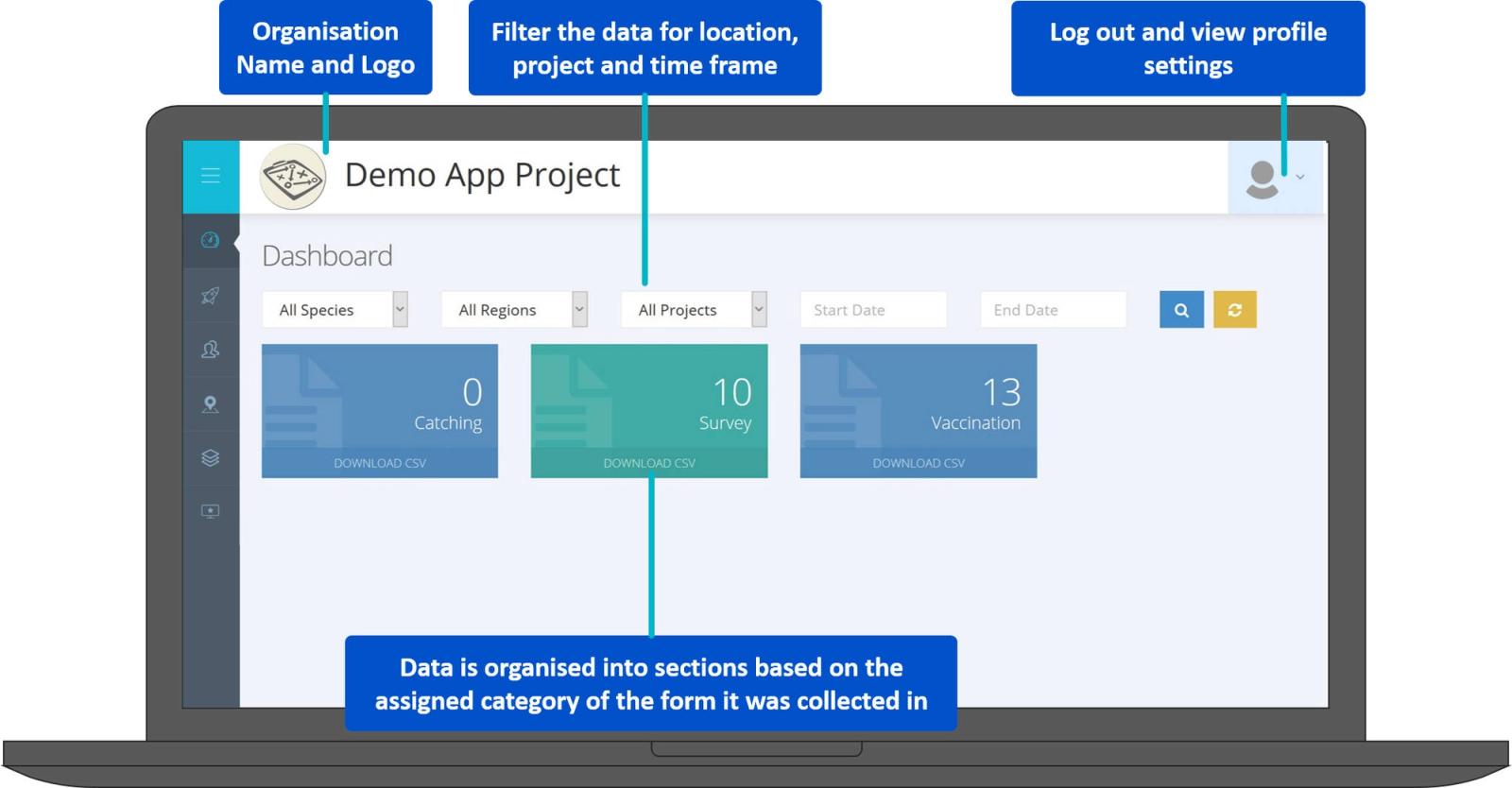
Sidebar Options
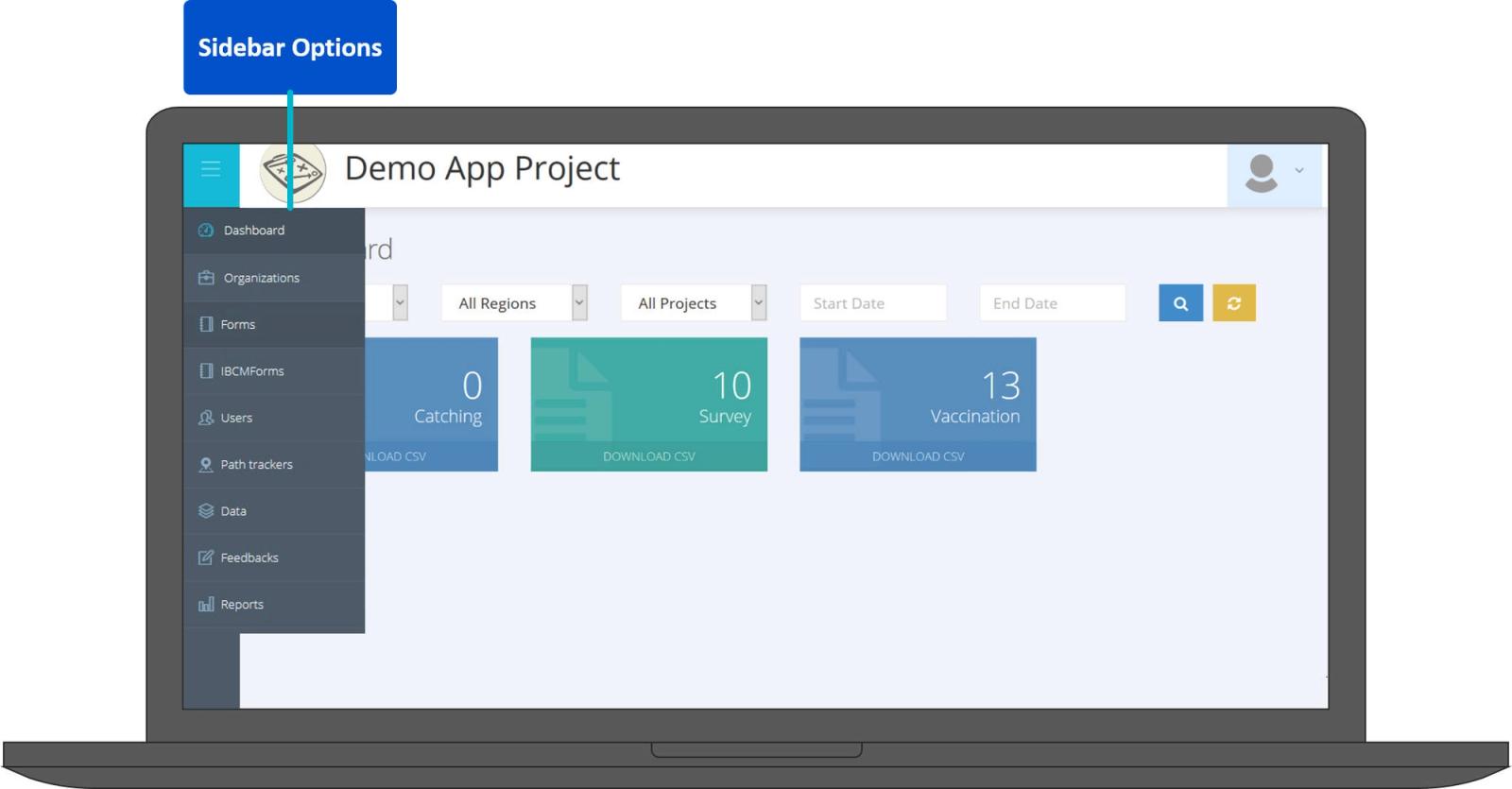
Hovering your mouse over the icons on the left side of the dashboard will give you access to the other website pages.
Projects
Here you will find a list of your organisation's projects. For the demonstration project these are:
- Demo Post-vac Survey
- Demo Vaccination
- Demo Survey
Here you can assign phone users, project forms and upload project maps.
You can also view data collected by your field users and use this data to track project progress and assign new working regions to field users.
Users
Allows the creation, project assignment, editing and deletion of project users.
Path trackers
For viewing and download of project path trackers Data and News tabs are rarely used.