

Project managers have the ability to tailor the App forms to the exact requirements of their project. There are many forms which have already been created and can form the basis of your data collection, discuss your needs with the WVS Data Collection App Technical Team who can guide you on the most appropriate form.
Getting Started
To access the form creation section of the WVS website, you will need a log in which gives your form creation permission. If you cannot locate this section, get in touch with our technical team to give your username these permissions.
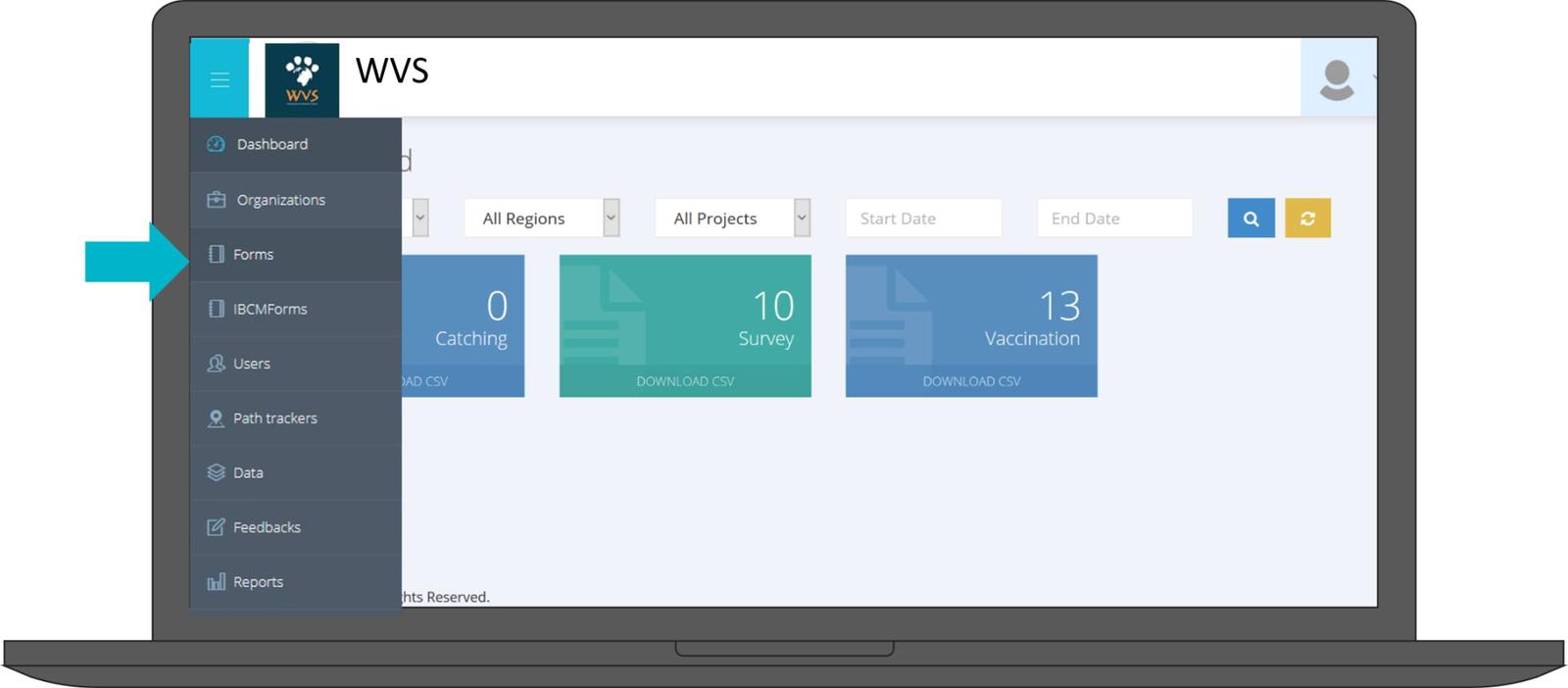
This tab will bring you to the forms page where you will be able to view all of the forms currently assigned to your organisation(s).
Forms are categorised depending on the type of information that you are collecting.
The most commonly used ones are:
- Vaccination
- Survey
- Catching
- Surgery
- Education
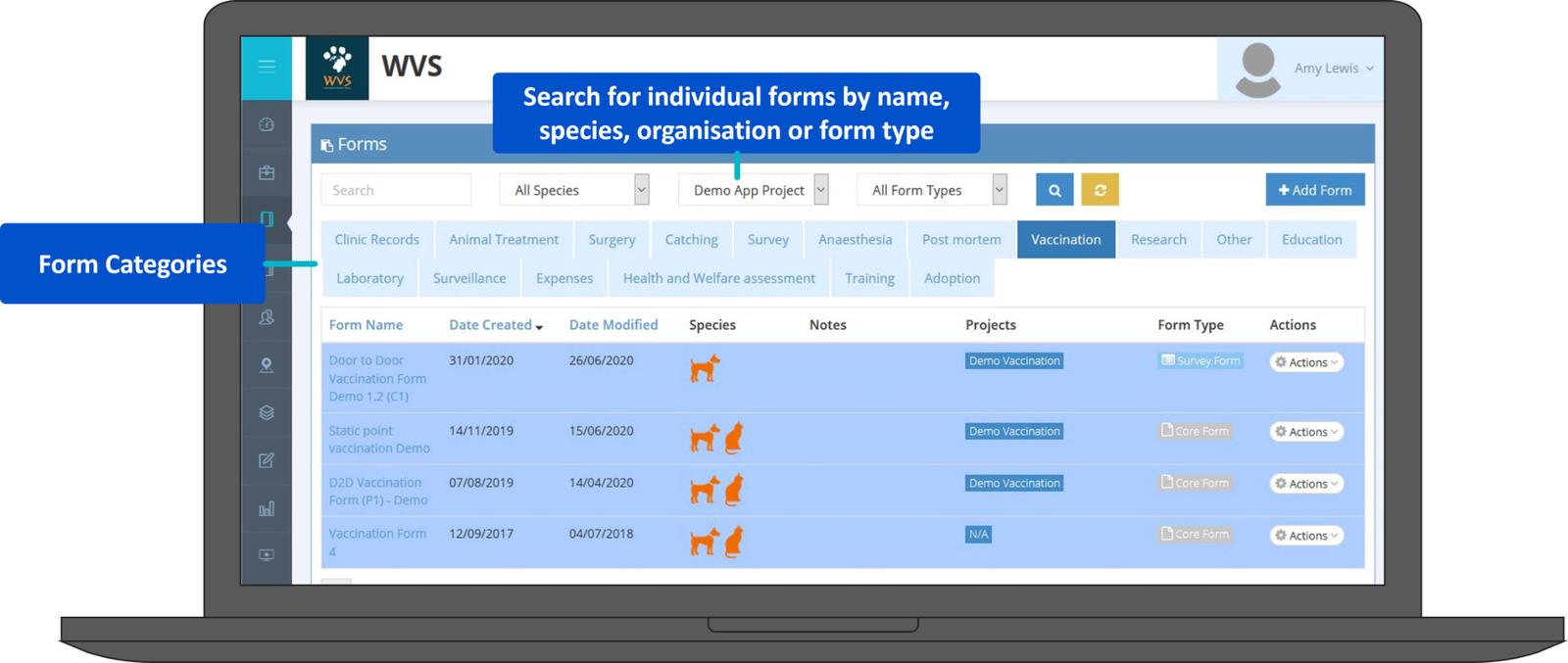
Forms can be searched for using their name or filtered by species, organisation or form type.
The information displayed in this view shows:
- Form Name
- Date Created
- Date Modified (the latest edit)
- Which Species the form collects data on
- Notes on this form
- Which projects the form is currently assigned to (if you have not filtered by Organisation, this column will show as 'Organisations' and will tell you which organisation the form is currently assigned to)
- What type of form this one is
Finally there is an Actions column which displays the below drop down menu when selected.
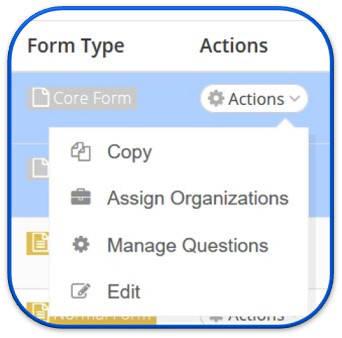
- Copy - Will create an exact copy of the form questions and can change to form type (see the next sections for an explanation of the different types of forms)
- Assign Organizations - Once a form is created, you need to assign it to an organisation before it becomes available to be uploaded into your project (See the create projects section for more information on how to do this)
- Manage Questions -This will bring you onto the questions page to work on the individual form questions ( see the Form questions section)
- Edit - This allows you to edit the name, category, species assigned, change the form icons and add notes. N.B The type of form cannot be changed once created, to change a form type, it must first be copied.
The following sections give information about the types of form and how to work with the different types of form question.